Oldest GUI application that still runs on Windows 11
Early investigation
For a while I’ve been wondering about a silly question, which is, what’s the oldest application with a GUI that will still run on Windows 11 without modifications or emulation.
Given Windows’ excellent backwards compatibility, I expected the answer to be something impressively old.
Sadly, Windows 11 can’t run 16-bit Windows programs by itself, because 64-bit Windows has no NTVDM, so we’re going to have to find something from the early NT era.
I remember asking this question a while ago on an anonymous forum, where someone pointed me to Win32s, and suggested to find an early release version of it with FREECELL.exe.
So I did exactly that, and lo and behold, FREECELL.EXE with a date modified of 22-Feb-93 running and fully playable, without any changes on the latest version of Windows 11:
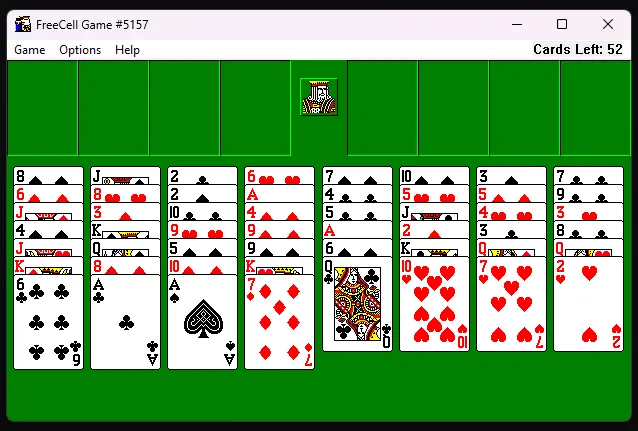
At the time of this post, that’s a 33 years and 8 months old application, which is impressively almost as old as me.
So I kinda thought “cool”, considered this a solved mystery and forgot about it shortly afterwards. But for some reason, this question popped into my mind again lately and this time I decided to dig deeper to see if I can find something older.
Further efforts
Digging through old Windows versions on the Internet Archive, I found some early NT 3.1 pre-release versions that seemed promising, but the main issue seemed to be either incompatibility with today’s executable format or API changes that came later in development.
The earliest 1991 versions used a draft PE format not compatible with modern Windows, and builds up to mid-1992 assumed the cdecl calling convention instead of stdcall for Windows API calls, so arguments would get removed twice, as such:
push hwnd          ; 4 bytes of args
call [ShowWindow]  ; Win11 ShowWindow is stdcall, ends with "ret 4" and removes them
add  esp, 4        ; the 1992 caller removes them again
Which would understandably cause the program to crash.
There was one application that caught my eye though, from Build 347, and that was CDPLAYER.EXE, linked on 16-Nov-1992. By then the calling convention was fixed, but the other programs in that build crash in their bundled C runtime. CDPLAYER.EXE avoids that by using the system’s crtdll.dll, and Windows 11 still ships a crtdll.dll in SysWOW64.
If you start the program, you get something like this:
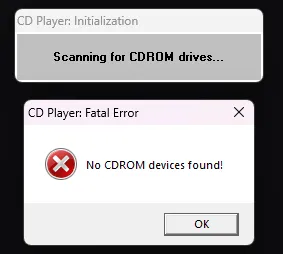
That is because, duh, my computer doesn’t have a CD-ROM drive. But you can use a small DLL (cdemu.dll) to emulate one with some fake audio data and actually get it to play audio:
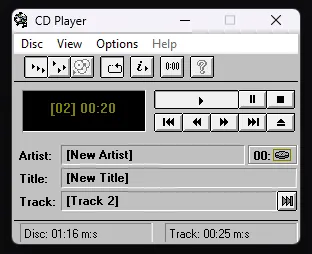
Pretty cool for a program that’s almost 34 years old!
What if we cheat?
So earlier I mentioned that 16-bit programs are out of the picture because they are no longer supported.
But if you want, you can use something like otvdm to run older Windows applications.
Behold, a fully playable version of REVERSI.EXE dated 15-Nov-1985 running on Windows 11, taken from Windows 1.01:
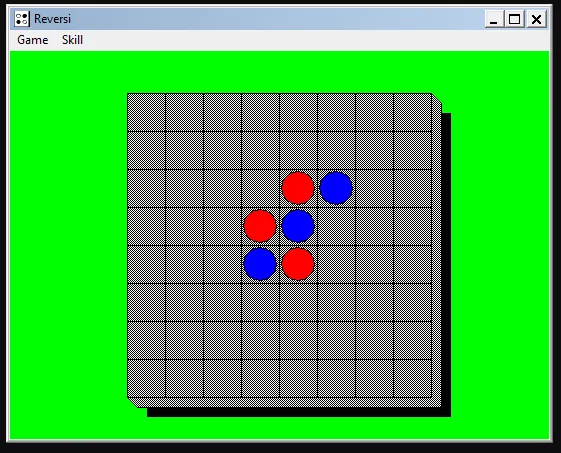
And although using otvdm does feel like cheating, I thought it was cool enough to include in this post.